
Pollog Family Assistant
Pollux TeknolojiParenting
4.2236.00 Reviews
- Version
- 1.0.11
- Installs
- 1.00M
- Age Rating
- Everyone
Screenshots
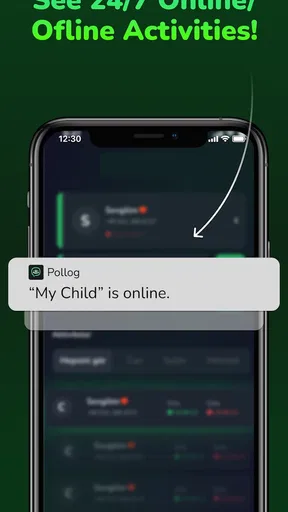
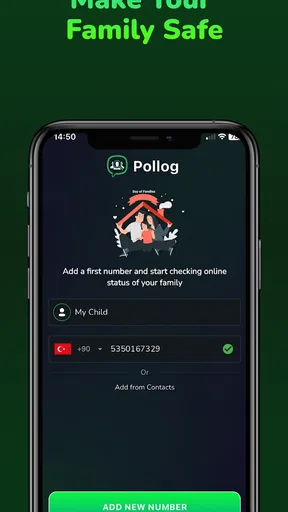
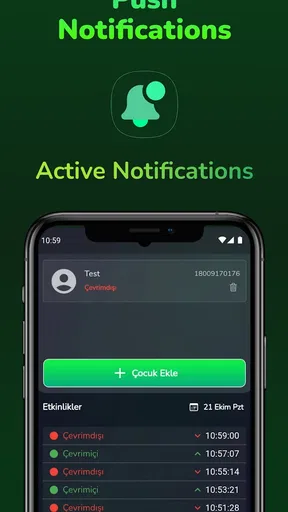
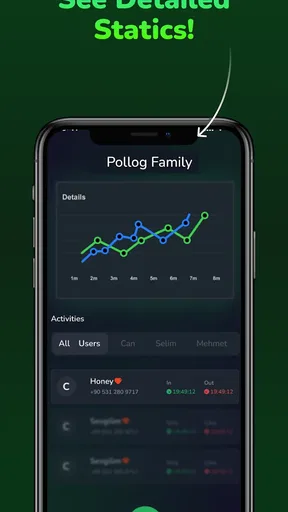
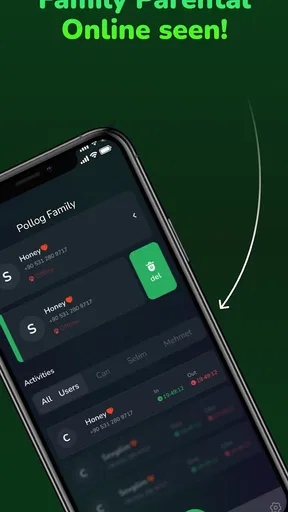
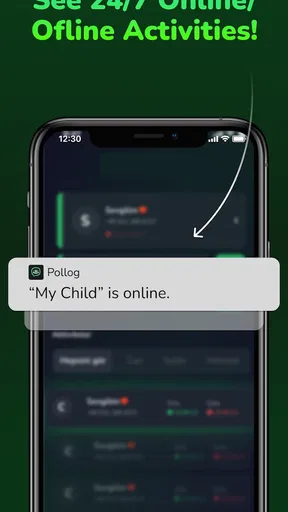
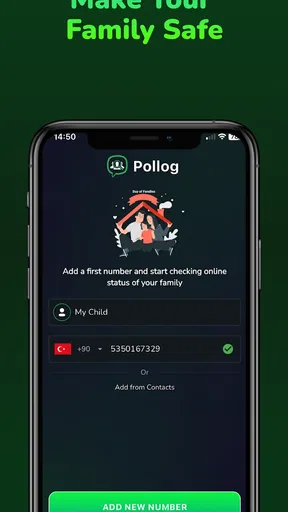
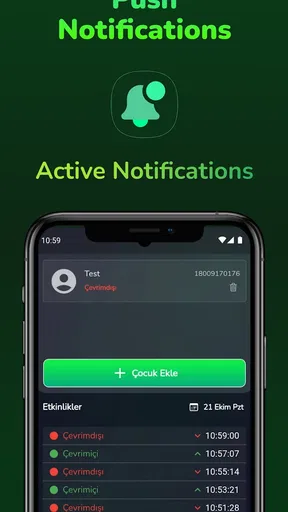
Our Review of Pollog Family Assistant
 Analysis by Appyee
If you've ever found yourself juggling family schedules, tasks, and reminders, then Pollog Family Assistant might just become your new best friend. I recently took this app for a spin, and let me tell you, it’s like having a personal assistant dedicated to keeping your family life running smoothly. Let me break down my experience for you.
The first thing I would decide is what I actually want a family app to fix. If the main problem is that one person carries every appointment and household reminder in their head, a shared place for schedules and tasks can help make that work visible to everyone. If the main problem is a disagreement about routines or a need for detailed childcare records, a coordination app may not solve it on its own. I found Pollog most useful as a shared everyday organizer, not as a substitute for talking through responsibilities.
Where setup and first use can get stuck
Getting a family space going depends on more than installing the app: the people expected to use it need to join and agree on what belongs there. Before adding every event or chore, I’d start with one shared calendar item and one simple task. That small trial shows whether everyone can find the same information and understand who is responsible, without turning setup into a family-wide project.
Invitations are another point where expectations matter. A person who does not join cannot be part of the shared routine, so I would send invites when everyone has a moment to respond rather than during a rushed school run. If someone is reluctant to install another app, it helps to explain the specific problem it is meant to solve—such as keeping pickup arrangements visible—rather than presenting it as a general demand to monitor family activity.
First things first, setting up Pollog Family Assistant is a breeze. Just download it from the App Store or Google Play, and you're off to the races. The user interface is super intuitive, which is great for someone like me who doesn’t want to spend hours figuring things out. Once you’ve registered, you can start adding family members, which is as simple as sending them an invite link.
One thing I immediately appreciated was the app’s sleek and minimalistic design. It’s easy on the eyes, and I didn’t feel overwhelmed by too many options right off the bat. Everything is neatly organized, making it easy to find what you need.
Setup checks that prevent avoidable confusion
I’d keep the first setup deliberately modest. Agree on a naming style for events, decide which calendar entries are useful to share, and make task wording specific enough that nobody has to guess what “sort out dinner” means. A task such as “pick up the groceries after work” is clearer about both the action and timing. This is a practical habit rather than a special app feature, but it makes shared lists easier to use.
Notifications are most helpful when they support a routine rather than replace one. I would check that family members know where to look for the calendar and tasks, then treat alerts as prompts—not proof that everyone has seen or understood a change. For a time-sensitive handoff, a quick direct message or conversation can still be sensible, especially while the family is learning its new routine.
Pollog Family Assistant is a free parenting app from Pollux Teknoloji. It has a 4.2 average from around 76,000 ratings, and has passed one million installs. Its Everyone age rating makes it suitable for a broad audience, while in-app purchases range from $3.99 to $13.99 per item. I see those details as useful context, not a reason to assume that every household needs a paid option; I would first try the basic family workflow and decide whether it fits.
Making family routines work in practice
I find the most useful way to judge a family organizer is to test one ordinary handoff, not to load it with every plan at once. A pickup, the person responsible, and a clear place to share a change reveal whether the household’s routine is actually easier to follow. From there, I’d look at how the family can keep that information current when plans shift.
Features That Make Life Easier
Pollog Family Assistant comes packed with features designed to simplify family management. Here are a few highlights:
- Shared Calendar: This is perfect for keeping track of everyone’s schedules. From soccer practices to doctor’s appointments, you can see everything at a glance. Plus, you’ll get notifications which are a lifesaver for those of us who tend to forget.
- Task Lists: Need to delegate chores or add a grocery list? The task list feature lets you assign tasks to specific family members, ensuring that everyone knows what they need to do.
- Family Chat: Forget the endless text threads. Pollog has a built-in chat feature where you can communicate with your family members. It’s seamless and keeps all family conversations in one place.
- Location Sharing: This feature is awesome for peace of mind. You can see where your family members are, which is particularly handy if someone is running late.
For a realistic weekday example, I’d put a child’s activity and the planned pickup in the shared calendar, assign the pickup task to the adult covering it, and use family chat if the plan changes. That gives each tool a distinct job: the calendar holds the plan, the task list clarifies responsibility, and chat handles the unexpected. If the family instead puts every small conversation into the calendar or turns each reminder into a task, the shared space can become noisy and harder to scan.
That division of labor is one of the less obvious ways to get value from the app. A calendar entry tells everyone when something is happening; an assigned task makes clear who is expected to act. They are not interchangeable. For recurring household friction—like remembering who is bringing an item—I’d make the responsibility explicit instead of assuming that seeing an event means someone has taken ownership.
Workflow recovery when plans change
When a plan changes, I would update the place where the original plan lives first, then send a short chat message if someone needs to notice immediately. That reduces the chance of leaving an old calendar entry in place while a new message gets buried in conversation. After the urgent change, it is worth checking whether a related task still describes the right person and action. This is a simple recovery routine, but it helps keep the calendar, assignments, and discussion from contradicting one another.
If a family member says they cannot see an event or task, I would check the basics before rebuilding everything: confirm they have joined the family space, check that the item was added to the shared area the household uses, and ask them to reopen the app. If the issue persists, updating to the current version, 1.0.11, is a reasonable general troubleshooting step. I would avoid deleting and recreating shared information until I knew whether the problem was just a display or refresh delay.
Using Pollog Family Assistant has genuinely made managing my household easier. The shared calendar alone has saved me so much time and stress. No more double booking or missing important events. The notifications are timely and not intrusive, which I appreciate.
The task list feature has also been a game-changer. I can assign chores to my kids and keep track of their progress. It’s been a great way to teach them responsibility. Plus, the satisfaction of ticking off completed tasks is surprisingly rewarding.
One thing that really stood out is the family chat. It’s become our go-to way of communicating. Whether it’s planning dinner or just sharing a funny meme, having everything in one place is super convenient.
When the app may not be the cause
Location sharing deserves a little more caution than a calendar entry. I would treat it as a convenience for coordination, not as a guarantee of a person’s exact position or a replacement for checking in directly. A delay can make a map view less useful for a time-critical pickup, and family members should understand when location sharing is being used and why. If precise, dependable live tracking is essential, I would compare dedicated options designed around that need rather than relying on a general family organizer.
However, I did notice that the location sharing sometimes lags a bit. It’s not a deal-breaker, but something to keep in mind if precise real-time location tracking is crucial for you.
Sometimes a missing update is also a communication problem rather than an app problem. Someone may not have opened the app, may have missed a notification, or may still be following the old arrangement. For safety-critical plans, I would confirm directly instead of assuming that a calendar change or chat message has been seen. The app can keep information together, but it cannot make every family member check it at the right moment.
Compared with the usual alternatives, Pollog brings calendar planning, assigned tasks, family conversation, and location sharing into one family-focused place. A standard calendar may be better if all you need is scheduling and everyone already uses it; a group chat may be simpler for occasional coordination. The trade-off is that separate tools can scatter details, while an all-in-one setup only helps if the family is willing to use it consistently.
Who is likely to get the most from it
I think the app suits households where several people share practical responsibilities: parents coordinating activities, families dividing chores, or relatives who need a common view of plans. It is especially useful when the recurring issue is “who is doing what, and when?” The app’s parenting focus makes that kind of household coordination feel like its natural use, rather than forcing a general work planner to serve as a family hub.
I would skip it if you want a private personal calendar and have no need to share tasks or messages, or if other family members are unlikely to participate. It may also be the wrong choice for someone whose main requirement is highly dependable real-time location tracking. In those situations, a simpler calendar, an existing messaging group, or a specialized location tool may be a better fit than asking one app to solve a different problem.
For someone deciding whether to try it, I’d begin with a short test: add the next shared appointment, assign one concrete task, and see whether the people involved can find and act on that information. That gives a more useful answer than filling the app with a whole household’s history on day one. Since it is free to start, the practical question is whether the shared workflow earns a place in everyone’s routine; in-app purchases are available, but I would not treat them as necessary without first identifying a feature the family actually wants.
Final Thoughts
All in all, Pollog Family Assistant has been a fantastic addition to our family’s digital toolkit. It’s not just an app; it’s like having an extra team member helping to keep everything on track. Whether you have a large family with a bustling schedule or just need a hand managing daily tasks, I’d definitely recommend giving it a try.
With its user-friendly design and plethora of features, Pollog Family Assistant makes family management not only more efficient but also a bit more fun. So, if you’re ready to take the chaos out of family life, head over to the App Store or Google Play and give it a download. Trust me, you won’t regret it!
Verdict
Strengths of Pollog Family Assistant
- User-friendly interface for all ages.
- Real-time family location tracking.
- Customizable alerts and reminders.
- Secure data encryption.
- Cross-platform compatibility.
Limitations of Pollog Family Assistant
- Requires constant internet connection.
- Limited free features available.
- Battery drain due to GPS usage.
- Occasional notification delays.
- No offline mode support.
Similar Picks in This Category
View All
Family Space
Motorola Mobility LLC.3.9

شرطة الأطفال - مكالمة وهمية
Oub Apps4.1

Findmykids: Parental Control
LETEM LTD4.6

Pregnancy + | Tracker App
Philips Electronics UK Limited4.8

Policía de niños - para padres
Kids police4.7

Pregnancy App
Amila4.9
Frequently Asked Questions
What is Pollog Family Assistant and how does it work?
Pollog Family Assistant is a comprehensive app designed to help families manage their daily activities efficiently. It offers features like shared calendars, to-do lists, meal planning, and family location tracking. By syncing across devices, it ensures everyone stays updated and organized, making family coordination seamless and stress-free.
Is Pollog Family Assistant available on both Android and iOS?
Yes, Pollog Family Assistant is available for download on both Android and iOS platforms. Users can find it on the Google Play Store for Android devices and the Apple App Store for iOS devices. It’s designed to work smoothly across both operating systems, ensuring compatibility and ease of use.
Does Pollog Family Assistant require a subscription?
Pollog Family Assistant offers both free and premium subscription options. The free version includes essential features, while the premium subscription unlocks advanced functionalities such as enhanced family location tracking and additional storage for family photos and documents. Pricing details can be found within the app store listings.
How does Pollog Family Assistant ensure data privacy and security?
Pollog Family Assistant prioritizes user privacy and data security by implementing robust encryption protocols and strict data protection measures. The app does not share personal data with third parties without consent and provides users with control over their information. Regular updates ensure adherence to the latest security standards.
Can Pollog Family Assistant integrate with other apps and services?
Yes, Pollog Family Assistant can integrate with popular apps and services like Google Calendar, Apple Calendar, and task management tools. This integration allows users to import existing schedules and tasks, creating a centralized hub for family management. Instructions for connecting these services are available within the app settings.
